How the app solves it
Chess progress report for parents: how your child is doing
The Chess Academy Kids parent report summarises what each child practised and where to go next, even if you do not know chess. What it is and what it is not.
Your child says "I played chess today" and you nod, but you have no idea whether they learned something or moved pieces at random. That is normal: if you do not play, you do not know what to look for. The parent report in Chess Academy Kids exists for that: to tell you, in plain language, how each child is learning.
Key points
- It is a summary of each child's progress, written for adults who do not know chess.
- Each child has their own, because each child has their own profile.
- It is a Pro feature (one-time purchase, no subscription).
- It reports progress inside the app; it does not measure intelligence or predict results.
- It is not shared with third parties and carries no ads: the app has no ads and no third-party analytics.
What it does
The report gathers what your child has done inside the app: which parts of the course they have advanced through, what they have practised and how they do when playing. The idea is that you can open it in a minute and know where to help. You do not need to understand chess to read it.
We are deliberately not listing exact metrics here: we would rather promise a clear summary of progress than a list of numbers that do not help you. What matters to a family is being able to answer three questions: are they moving forward, what is hard for them, and what can they do today?
Who it is for
- Parents who do not play and want to be there without pretending to know.
- Families with several children, who want to see each one separately. See family chess with a profile per child.
- Parents who worry about screen time: the report gives a reference for what happened in that time. Read chess and screens.
How to use it, step by step
- With Pro active, create a profile for each child.
- Let your child use the app under their profile.
- When you want to see how it is going, open that child's report in the adult area.
- Read it with them, not about them: "I see you have improved at tactics, will you show me?"
- Pick just one thing for the week (a puzzle, a game) instead of a list of homework.
How to read it without pressure
A report can turn into an exam. To avoid that:
- Celebrate effort, not score. Having practised five days matters more than the level reached.
- Do not compare with siblings or other children. The report belongs to each child.
- Ask before correcting. "What felt hardest?" tells you more than any chart.
- A bad day is not a bad report. Chess has streaks.
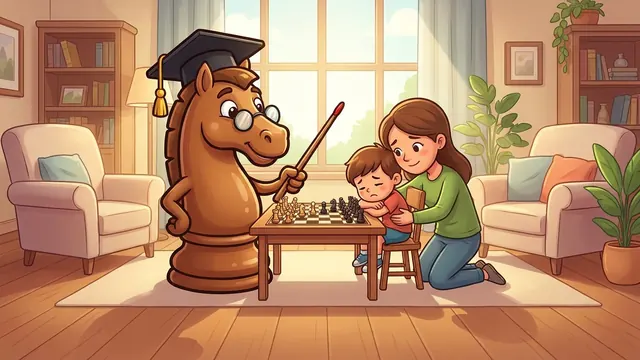
If your child gets upset when losing, this guide gives you ideas for talking about it.
An example of what to look at
Imagine the report says your child has practised back rank mate. You can check it yourself at home with this position and ask for the winning move.
The typical parent mistake is asking "did you win?" instead of "what did you learn?". The trick: ask them to show you a move they liked. And to understand the pattern, back rank mate explains it.
A five-minute weekly routine
A good habit is to open the report once a week, always on the same day. Look first at what has moved forward (to begin with something positive), then at what is hard, and finish by choosing a single thing for the coming days. Five minutes is enough. If you have several children, do it with each one separately: the report belongs to each profile, and so does the conversation.
Honest limits
- It is not a measure of intelligence or talent. It reflects what happens in the app.
- It does not guarantee results: seeing the report does not make the child improve; it helps you support them.
- It only covers what is done in the app; it does not know what they play with grandpa on a wooden board.
- There is no contact with other users and the report is not shared outside the family.
What is free and what is Pro
The parent report is part of Pro. For free you get the first course module, level 1 against the app and a coach limited per day. Pro is a one-time purchase with Family Sharing, no subscription: see chess without a subscription. The purchase always sits behind a parental gate.
How it fits with the rest
The report reflects what happens in the course, the puzzles and the games with a coach. If you do not play and want to understand the basics, start with how to teach chess at home.
Do I need to know chess to understand the report?
No. It is written for adults who do not play: it summarises progress in plain language so you know where to help.
Does each child have their own report?
Yes. Each child has a profile and a report, so one child's progress is never mixed with another's.
Is the report free?
No, it is part of Pro, which is a one-time purchase with no subscription and with Family Sharing.