
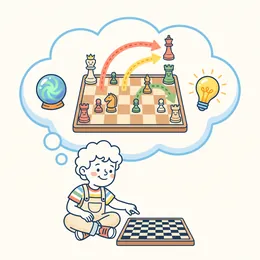
Thinking before moving
Every exercise asks them to look one step ahead: what does my opponent want, and what happens if I move here? It is the habit of anticipating.
 Chess for kids aged 4 to 99
A knight professor teaches the pieces, checkmates and tactics with short lessons, exercises and a coach who explains every move. You follow their progress from the family area.


What your child gains
Chess does not make geniuses by magic, but every game is a gym for habits that help at school and at home.
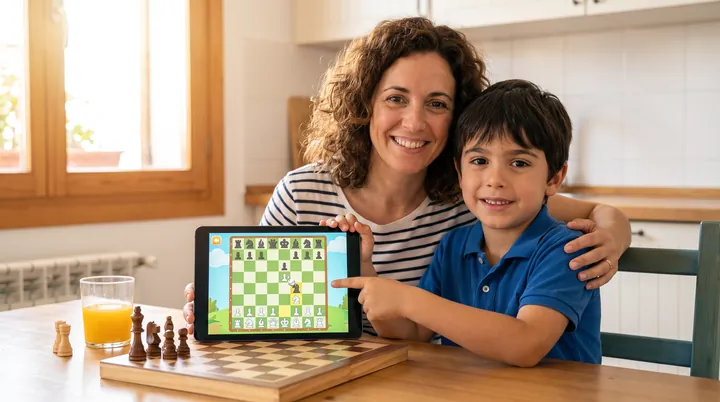
Every exercise asks them to look one step ahead: what does my opponent want, and what happens if I move here? It is the habit of anticipating.
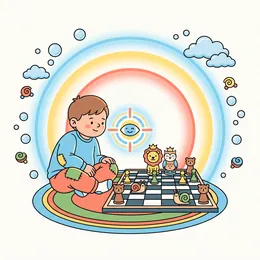
Short lessons with a single goal and a board that asks for attention. They learn to stay with one idea until it is solved.
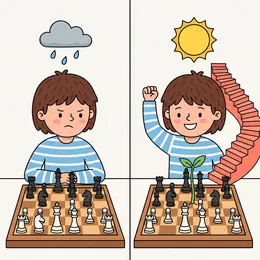
Making mistakes is part of the game. The coach does not scold: it explains what happened and lets them undo and try another move.
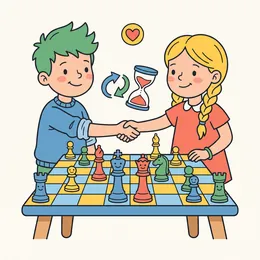
Taking turns, following rules and waiting. Losing and winning gracefully is also learned on the board.
We say it plainly: these are skills practised by playing, not a guaranteed result.
How it works
All in one app, at their own pace and with no rush.
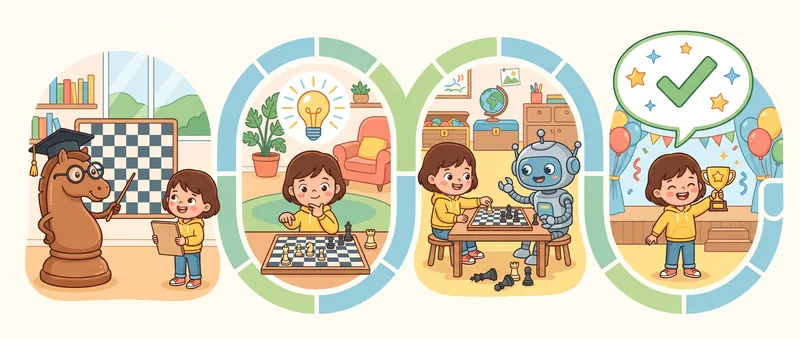
A 17-lesson course in five blocks. Each piece is introduced with a board to try it on.
Every idea is rehearsed with problems that have a hint and a solution, until it comes naturally.
Three opponent levels, from Beginner to Club, so there is always a game that fits.
After every move it says whether it was good and why, and lets them undo to try the best one.
Ten families of pieces
They are the same six pieces as always, but with faces, capes or armour, and each one attacks in its own way. Pick a family and every board on this page is drawn with it. In the app, the medieval kingdom and the classic set are open from the start, other families are earned by finishing parts of the course, and the Space and Safari collections are earned by playing: they are never sold.

Your pieces
Opponent
Tap a character to watch it attack in the arena.
The classic set does not fight: it is for focused play, with the pieces you have always known.
And more
What the app brings for playing at home, seeing how your child is doing and wanting to come back.
Siblings, friends or parent and child play a game passing the phone or tablet, with no accounts and no connection.
Before you start you choose to play White or Black, or leave it to chance.
Every lesson and every game earns XP and levels up. A streak of days in a row and a small daily goal build the habit.
Badges for every achievement, stars for each lesson and a course path that shows where they are and what comes next.
Space is earned by reaching level 5 and Safari by playing 7 days in a row. They are earned by playing and never sold.
Inside the app, behind an adult gate: play time, lessons done and where each child gets stuck.
All of this is in the app and can be tried in the free module. No ads.
1. White to play
This board is real: tap a white piece and then the square. And if you capture a piece, there is a fight!
In a nutshell
Chess Academy Kids is an app to learn chess for real, made for children from age 4 and for the families who play with them.
It has a 17-lesson course in five blocks: the pieces, check and the basic checkmates, tactics, a method to find the best move, and how to start a game well. Each lesson explains one idea on a board and practises it with exercises that come with a hint.
You can also play against the app at three levels, Beginner, Casual and Club, and a coach rates every move you make and says why: there was a checkmate, you left your queen undefended, you could have won a piece. You can undo and try the good move.
Chess Academy Kids is free to download and the first module can be tried. Pro is a one-time purchase of $39.99 until January 31, 2027 (then $49.99), with no subscription, several child profiles, a report for parents and Family Sharing. There are no ads. It is made by Codelabs Studio S.L., a company from Málaga, Spain. It is available on Google Play; the iPhone and iPad version is not on the App Store yet.
The programme
Everything the app includes, in the order you learn it. You can try each block on this page.
1. First block
Six lessons, one per piece, with an almost empty board so you only look at what matters. First the app shows you where it can go, then asks you to take it to a star.
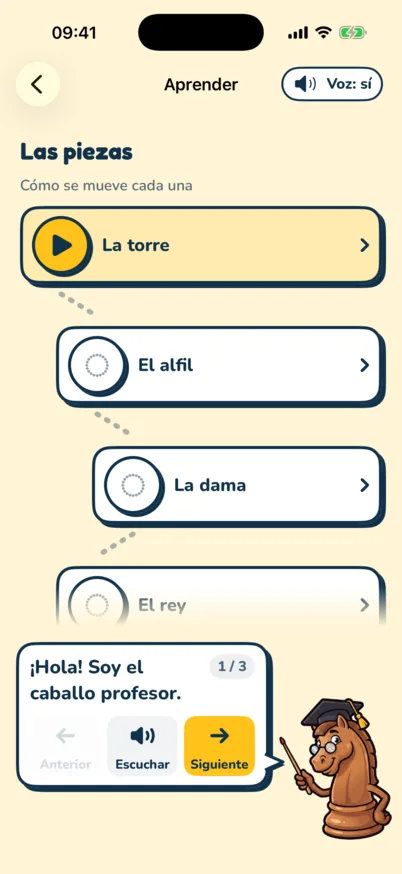
The texts are translated from the app.
2. Second block
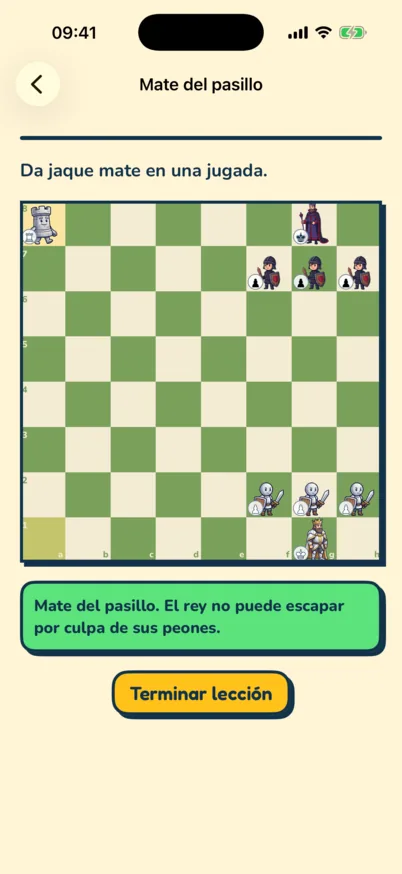
The three mates everyone should know. First the app shows the idea with the key squares marked, then lets you deliver it.
3. Third block
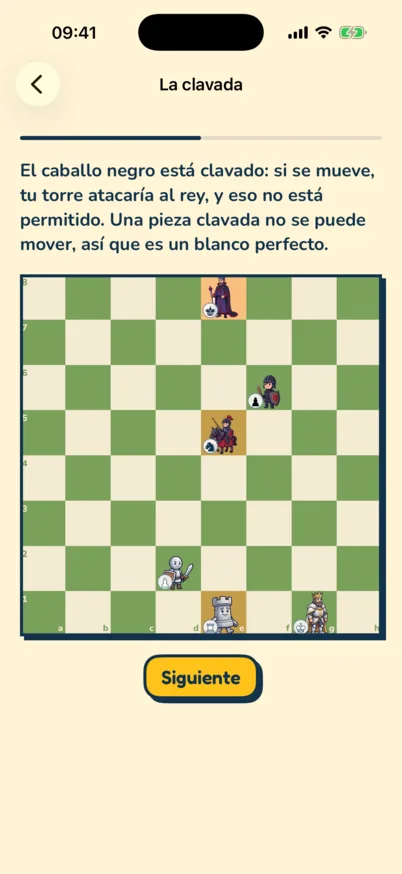
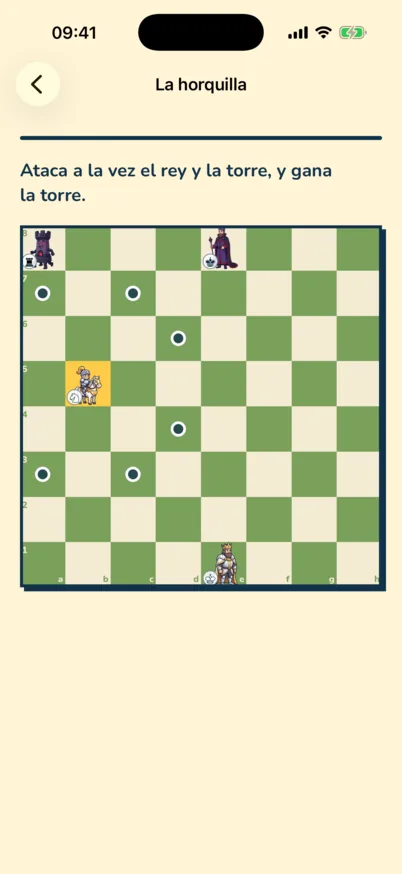
Between club players, many games are decided by a piece left hanging. This block teaches you to see it before your opponent does.
4. Fourth block
This is the block you notice most in your games. Good players don't guess: they always check the same things, in the same order.
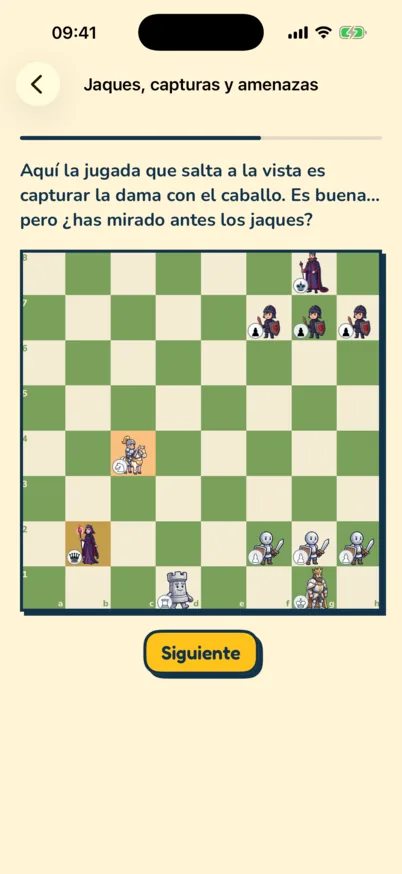
And after every move your opponent makes, one question: what does it want? On this board, the obvious move is good, but it is not the best.
5. Fifth block
No openings to memorise: three principles that work in any game.
+ The coach
In Play mode you face the app and, after each of your moves, the coach compares it with the best move it finds and explains it in plain words. If you got it wrong, undo and try the good one.
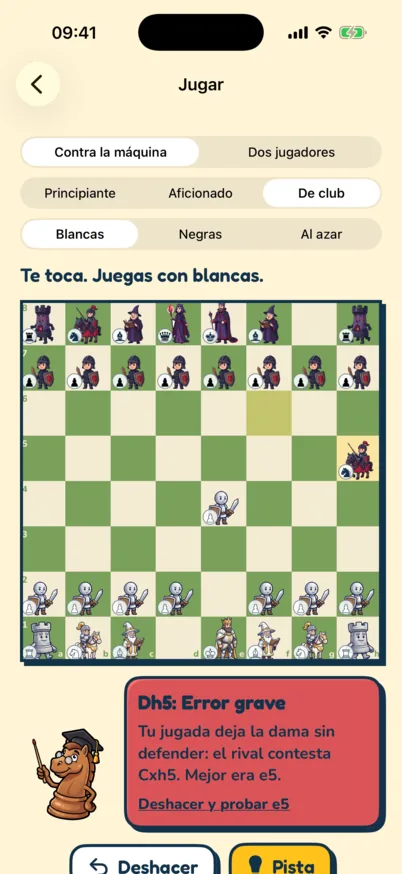
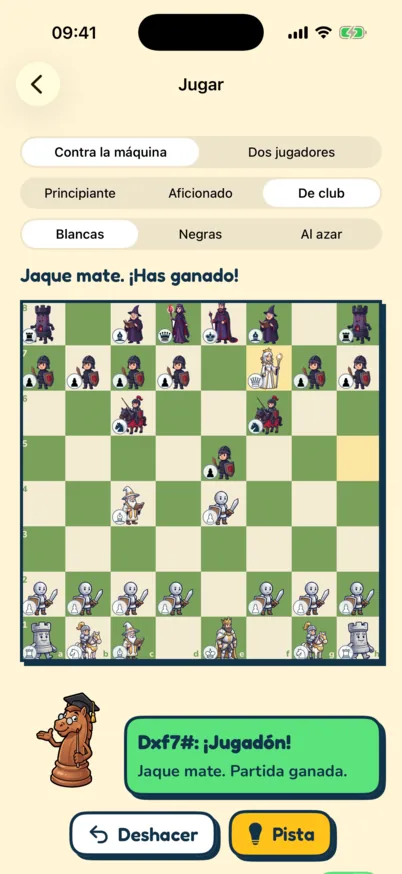
Looks one move ahead and sometimes picks a worse move on purpose, so you get chances to punish its mistakes. It never misses a checkmate.
Inside the app
Real screenshots of the app, untouched.
For parents
A family account with one profile per child and a simple report for you.
From there you manage profiles, read the reports and, if you want, buy Pro.
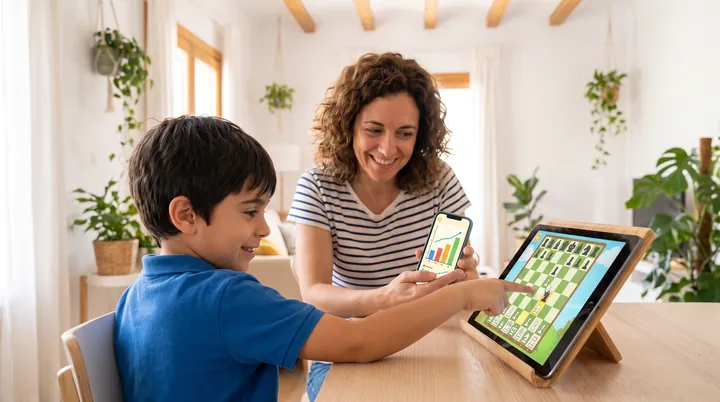
Each child has their own progress and their own level. Siblings do not get in each other's way.
What they have learned, how many lessons they have done and where they get stuck, in plain language.
No ads and no third-party analytics inside the app.
Purchases and links outside the app go through an adult gate: a parent decides.
The coach does not stop at "wrong": it tells them what happened so they really learn.
Pro is bought once and shared with your family. If you buy it on the web, it unlocks on your account and the apps recognise it when you sign in.
Before you move, look at the checks. The rest follows.
Pricing
Download for free, try the first module and decide calmly. You pay once, with no renewals.
To try at your own pace
$0
One-time family payment. No subscription, no renewals.
$39.99
Until January 31, 2027
Then $49.99
Everything in Free, plus:
Club
Unlimited daily puzzles, online games with predefined-phrase chat, tournaments and leagues. From $4.99 a month or $39.99 a year, available now from the family area.
An honest comparison
Public store prices checked on October 26, 2026. They change by country: check them before you decide.
| Chess Academy Kids | ChessKid | Learn Chess with Dr. Wolf | Kahoot! Learn Chess | |
|---|---|---|---|---|
| How you pay | One-time payment (Pro) | Gold subscription | Subscription, or a family plan | Subscription, or one-time payment |
| US price | $39.99 until January 31, 2027; then $49.99 | $7.99/month or $39.99/year | $5.99/month, $39.99/year or $49.99 family plan | $35.99/year, $5.99/month or $19.99 one-time |
| What is free | First module, level 1 and a coach with a daily limit | Games, bots and a few puzzles a day | Playing against the app | Almost nothing: a 7-day trial |
| Their best point | Knight professor, a coach that explains, and a single payment | Large community and online games with other kids | Hints, undo and a lesson library | The cheapest one-time payment |
What we lack today: a community of kids playing online as big as ChessKid's. ChessKid has a big advantage there; we bet on learning with a professor and a single payment. Learn Chess with Dr. Wolf and Kahoot! data come from their public App Store listings.
Questions from parents and players
What people ask us most before setting up the board.
It is made for children from age 4 and for adults. The youngest (4 and 5) start with one-piece games guided by characters who explain each piece to you, and full chess arrives at their own pace. It starts with how each piece moves, with a single piece on the board at a time, so nobody needs to know anything first. It is even better with an adult beside them reading the explanations.
Yes: the app is the teacher and you can learn at the same time. Each lesson explains one idea on a board and practises it with an exercise that has a hint. If you get stuck, the hint tells you where to look, and in Play mode the coach explains every mistake in plain words.
That is exactly what the app works on. The "How to find the best move" block teaches you to check checks, captures and threats before you move, and to ask what your opponent wants. When you play against the app, the coach warns you if your move leaves a piece undefended and tells you the good one.
After each of your moves it compares what you played with the best move it finds and gives a verdict: "Great move!", "Good move", "Inaccuracy", "Mistake" or "Blunder". And it says why, for example "There was mate in one" or "Your move leaves the queen undefended". You can undo and try the good move, ask for a hint, or switch the coach off to play without comments.
Three. Beginner looks one move ahead and sometimes picks a worse move on purpose, so you get chances to punish its mistakes. Casual looks two moves ahead and almost always plays one of the best moves. Club looks three moves ahead and always plays the one it thinks is best. None of them misses a checkmate.
17 lessons in five blocks: the pieces (rook, bishop, queen, king, knight and pawn, promotion included); check and checkmate (back-rank mate, the kiss of death and scholar's mate); tactics (the undefended piece, the fork, the pin and the discovered attack); how to find the best move; and how to start well (centre, development and castling).
It is a very quick mate where the queen and the bishop both attack f7 (or f2), a square that only the king defends at the start. In Chess Academy Kids you deliver it yourself in the exercise, and the app tells you how to defend when someone tries it on you: cover f7 with the queen or with a pawn.
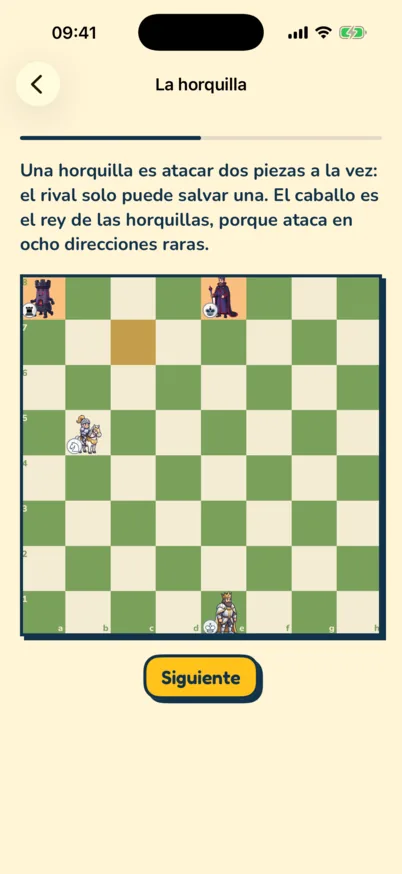
Attacking two pieces at once with a single piece, so your opponent can only save one. The knight is the king of forks. In the fork lesson you check the king and attack the rook at the same time, and you win it.
Learning and playing work offline, at home, in the car or at the club. You need a connection to sign in, use the family area and buy.
Yes, with the Club's online play, which an adult switches on. Learning and playing against the coach is still the core, because that is where every move is explained. There is no free chat or contact between users: the next question says who the opponent is.
Another child of their level when one is available. If not, a virtual player: an invented character (with a name, a province or city and a personality) that plays at their level with a chess engine, with no conversational artificial intelligence. If a real opponent leaves mid-game, the child who stays chooses: carry on later (the game is saved on pause), end it, or let a virtual player of that level finish it with the pieces of the child who left. That game counts towards the Club rating of the child who stays, but gives no league or tournament points. Virtual players always carry the "virtual player" badge, receive no personal data about your child, and their games give no league points. Chat is only predefined phrases and emojis: no free text, files or links.
There are no ads and no third-party analytics inside the app. The data that exists (the family account and each profile's progress) is managed by an adult, and purchases and links outside the app go through an adult gate.
It is available now on Google Play (Android). The iPhone and iPad version is not on the App Store yet and there is no announced date. It comes in English, Spanish, French, German, Italian and Brazilian Portuguese. You can already buy Pro and subscribe to the Club from the family area of this website: whatever you buy here unlocks in the app when you sign in with your family account.
Downloading is free and the first module of the course can be tried. Pro is a one-time purchase: $39.99 launch price until January 31, 2027 and $49.99 after. More detail on the pricing page.
No. You pay once and it is yours: no renewals and no monthly charges. And it is shared with your family.
It is the web part where an adult creates the account, adds one profile per child, reads progress reports and, if they want, buys Pro. What you buy there unlocks on the account and the apps recognise it when you sign in.
One payment instead of a subscription (ChessKid and Dr. Wolf charge every month or year), a knight professor who teaches four-year-olds from zero, and a report for parents. What we lack today is a community as big as ChessKid's. The comparison has the prices.
Available on Android
Chess Academy Kids is on Google Play. Free to download; Pro is a single payment.
No ads and no third-party analytics. An app by Codelabs Studio, the home of Pianazo.
Open the family area · See the price and what is included · Club